A menu bar app for Mac
Your wired connection, at a glance.
Twisted Pair is the companion to the Wi-Fi menu that Apple left out. Link, speed, address, router, and internet, one click away in the menu bar.

Version 2.0, rebuilt for today’s Macs.
Is it you, or the Internet?
The menu bar icon tells you before you have to ask. The three states differ by shape, so you can tell them apart without relying on color.

Connected
Cable in, address leased, internet reachable.

Problem
Plugged in, but no valid address, no router, or no internet.

Unplugged
No cable, or no Ethernet adapter connected.
Everything about the cable, nothing else.
A configuration check that means something
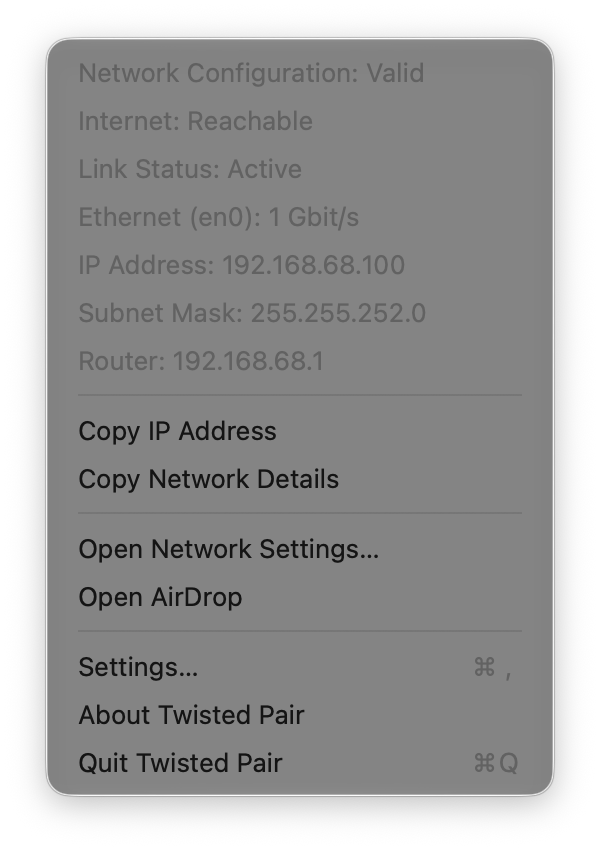
Valid means a leased address with a subnet mask and a router. If something’s wrong, the menu says exactly what: a self-assigned address, no router, or no subnet mask.
The internet, over the cable
The internet check runs over your Ethernet adapter itself, so a working Wi-Fi connection can’t hide a dead cable. A hotel captive portal shows up as not reachable.
Any Ethernet adapter
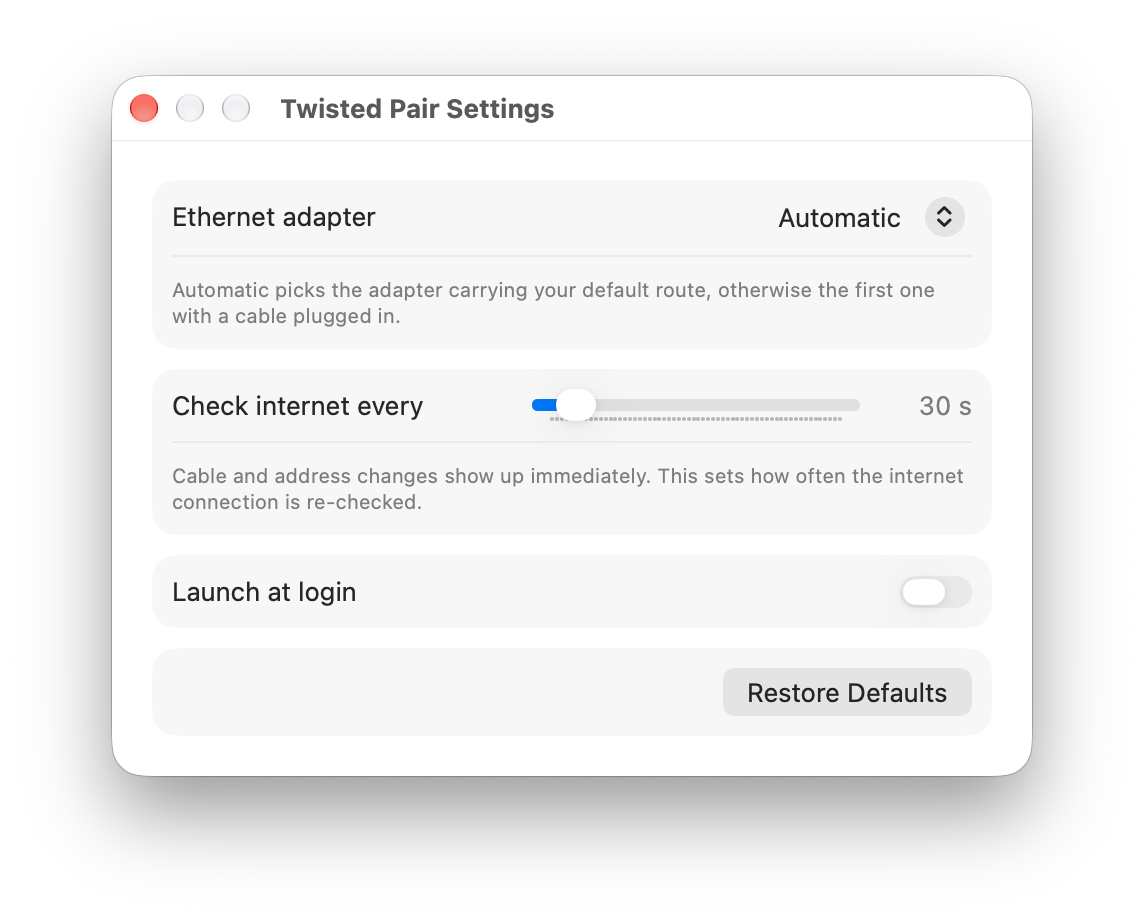
Built-in Ethernet, USB, or Thunderbolt adapters. Twisted Pair picks the one carrying your connection, or you choose it in Settings.
Instant
Plug in, unplug, or get a new address and the menu bar updates right away. The internet is re-checked every 30 seconds, or as often as you like.
Handy in a pinch
Copy your IP address, or every detail at once for a support ticket. Jump to Network Settings or AirDrop from the same menu.
Private
No accounts, no analytics, no data collected. It runs in the App Sandbox with network access only.
Small and out of the way.
One menu and one settings window.
Questions
Which Macs does it run on?
It’s built for Apple silicon and Intel Macs. The minimum macOS version is on the support page.
Does it work with USB and Thunderbolt Ethernet adapters?
Yes. Any Ethernet adapter macOS recognizes shows up in Settings. Automatic mode picks the one carrying your default route, otherwise the first one with a cable plugged in.
Does it show Wi-Fi too?
No. Twisted Pair is only about your wired connection; the Wi-Fi menu already covers Wi-Fi.
Is this the same Twisted Pair from 2011?
Yes. Version 2.0 is a complete rewrite of the original, by the same developer, and arrives as an update on the Mac App Store.
Where did the AirDrop and pause-connection switches go?
Modern AirDrop works differently, and an App Store app can no longer change that setting or turn a network interface off. Open AirDrop and Open Network Settings in the menu take you to the right place instead.
Does it send anything anywhere?
No personal data, ever. To check that the internet is reachable it opens a secure connection to www.apple.com and sends nothing about you. Read the privacy policy.